RWREWIREDGENX.COMSide A ■ ■ ■ ■ ■

Rewired with Jim

Blog

  • DeerFlow: TikTok’s Free AI Agent System Explained for Beginners

    📼

    🎧  Jim reads this post

    We survived the fax machine, the Rolodex, and dial-up internet — we’re not scared of AI. But we are short on time. And that’s exactly why ByteDance just handed us something that matters. They open-sourced DeerFlow, the AI agent system they’ve been running internally at TikTok, and released it free under MIT license. Seventy-two thousand GitHub stars in the first week. I’m not saying this is the move that changes everything, but I’m also not not saying it.

    Why This Keeps Coming Up

    Every couple months there’s a new “AI breakthrough” that turns out to be a marketing department’s fever dream. I get it. We’re tired. But this is different because it’s not a tool trying to do everything — it’s a framework that does one thing really well, which is break down big messy problems into parallel tasks and let multiple AI agents handle them at the same time. That’s the thing Elon’s team used for some of their stuff. That’s the architecture behind the AI systems people are actually making money with right now.

    The reason it matters for us specifically is that we’re the generation that figured out how to make money in the gaps. We did side hustles before there was a word for them. We learned to code in our spare time. We built email lists when nobody was paying attention. DeerFlow is built for exactly that — you set it and it works while you’re sleeping or doing your actual job.

    What I Actually Found Out

    I spent the better part of a week setting this up and running test cases because I needed to know if the hype was real or just another GitHub star grab. Here’s what I actually found: you give DeerFlow one goal — let’s say “create a competitive analysis for my niche” or “draft a three-month content calendar” or “research and summarize the top fifty industry blogs” — and it breaks that into subtasks automatically. It doesn’t ask you to micromanage. It doesn’t need you to explain every detail.

    Then it spins up multiple AI agents running parallel processes. Each one handles a piece of the problem simultaneously instead of sequentially, which means the work gets done in a fraction of the time. I ran a competitor research task that would’ve taken me a solid day of manual work, back-to-back clicking and reading. DeerFlow had a comprehensive report ready in about three hours while I was out. The output wasn’t perfect — you still need to read it and validate — but it was eighty percent there, which is the threshold where it stops being a toy and starts being useful.

    The barrier to entry is real but not insurmountable. You need basic command line comfort, you need to set up API keys with whatever LLM you’re routing through (Claude, GPT, whatever), and you need to understand what you’re actually asking for. But if you’ve ever managed a Zapier automation or fiddled with IFTTT, you can figure this out.

    What You Can Do With This Today

    Start with something that’s costing you real time right now. For me it was competitive research. For someone I know it was building case studies from customer interviews. For another person it’s daily market monitoring. DeerFlow works best on tasks that need parallel processing — things that would normally require you to juggle multiple browser tabs or hire someone to do the legwork.

    Clone the repo, follow the setup guide (they’re clear about it), and run a small test first. Don’t start with your biggest, most important project. Use it on something that matters but isn’t make-or-break. That way you figure out the quirks without consequences. Once you’ve got one workflow running reliably, you add another.

    The real play here isn’t that it’s free — it’s that you own it. You’re not depending on some company’s API pricing or their terms of service changing next quarter. It runs on your infrastructure. That’s GenX as hell.

    I’ll be honest: I don’t think this is the last piece of the puzzle. But it’s a real piece. And right now, that’s enough.

    Watch the Full Video

    I covered all of this in a short video too — sometimes it’s easier to watch than read.

    Watch on TikTok →

    What I Recommend

    If you want a head start, check out my social media income resource — it’s what I point people to first.


    Take a Look

    Get My Field Guide

    I put everything I know into a 30-page guide — the AI tools worth paying for, the prompts that actually work, and the workflows I run while I sleep. $14.

    Get the GenX AI Field Guide

  • Workshop Vault: How GenX Can Transform Dusty Training Materials Into AI-Packaged Courses That Generate Passive Income

    📼

    🎧  Jim reads this post

    Remember those training workshops you ran at work fifteen years ago? The ones that took weeks to develop, that people actually showed up for, that got real feedback saying “this actually helped me”? I’m talking about the PowerPoints gathering dust in a folder somewhere, the handouts you printed by the box, maybe some video recordings nobody’s watched since 2015. I realized last year that I was sitting on a goldmine and didn’t even know it. Turns out, AI makes it shockingly easy to transform those old materials into legitimate digital courses that can generate real income while you sleep.

    Why This Matters for People Like Us

    Here’s the thing about being GenX—we built real knowledge the hard way. We didn’t have YouTube tutorials or online communities. We learned through trial and error, experimentation, and yes, sometimes painful failure. That experience lives in the workshops and training content we created over decades. Meanwhile, everyone younger is creating their first course from scratch, and they’re charging for it. We have a massive head start, and most of us are ignoring it.

    The income part is obvious, but what grabbed me was the other angle. I spent years developing expertise that helped maybe fifty people in a classroom. Now I can help fifty thousand people, on demand, without traveling or printing anything. And the weird part? AI handles the heavy lifting of packaging it all up.

    What I Actually Found

    I started with my old workshop materials on workplace communication—stuff I taught at three different companies between 2008 and 2015. I had scripts, PowerPoint decks, case studies, even audio recordings of actual sessions. I dumped all of it into Claude and asked it to reorganize everything into a coherent course structure with modules, learning objectives, and quiz questions. It took about forty minutes and the output was honestly better organized than my original material.

    Then I had the AI create a sales page, email sequence, and course introduction video script. I recorded the intro myself (sat at my laptop with a webcam, no fancy equipment). For the actual course content, I took my old PowerPoint slides, had AI rewrite them into conversational lesson text, and added those scripted videos where I just talked naturally about each topic. I’m not a video person, but AI coaching scripts made it easy to stay on track.

    The next step is where I felt like I was cheating—AI helped me create supplemental materials. Study guides, downloadable worksheets, practice scenarios, even a little chatbot that answers student questions based on the course material. I uploaded it all to Thinkific (a course platform that’s super GenX-friendly, honestly) and set up payments through Stripe.

    Within six weeks, I had three students. Within four months, I had thirty. I’m not getting rich, but I’m making genuine passive income from material I’d already created years ago. The beautiful part is that each new student requires zero additional work from me. The AI-built course just runs.

    How to Get Started Today

    Start by actually gathering your old material. Find those workshop files, training manuals, presentations, even email threads where you explained something clearly. Don’t overthink whether it’s “good enough.” If you spent time developing it before, it has value. Spend an afternoon just collecting everything in one folder.

    Then pick an AI tool and prompt it honestly: “I have these old training materials on [topic]. Turn them into a structured online course with modules, lessons, learning objectives, and quizzes.” Watch what it produces. You’ll probably want to adjust things—add your personal stories, remove outdated references, add current examples. But the AI does seventy percent of the structural work.

    Pick a course platform. Thinkific, Kajabi, or even Teachable. Upload your AI-structured content, spend a weekend recording some intro videos (just you talking, nothing fancy), and set a price. I priced mine at $47 because I wanted it accessible but not throw-away cheap. Start with friends and your email list.

    I put together a more detailed rundown of my exact workflow over at rewiredgenx.com/links/ if you want the step-by-step.

    Look, we spent decades building real expertise. AI just made it possible to actually monetize it. That’s worth paying attention to.

    What I Recommend

    If you want a head start, check out the AI toolkit I actually use — it’s what I point people to first.


    Take a Look

    Get My Field Guide

    I put everything I know into a 30-page guide — the AI tools worth paying for, the prompts that actually work, and the workflows I run while I sleep. $14.

    Get the GenX AI Field Guide

  • Document Goldmine: How GenX Can Upload Years of Work Files to Claude and Turn Them Into Productized Services

    📼

    🎧  Jim reads this post

    I spent most of my career building spreadsheets, writing proposals, creating process docs, and collecting files that nobody thought would matter again. Then I realized I was sitting on a goldmine and didn’t even know it. Last month I uploaded fifteen years of business documents into Claude all at once—old project templates, client emails, case studies, methodology documents, the whole messy archive—and it spat back out something I could actually sell. This isn’t theoretical. I’m talking about taking the work you already did and turning it into recurring revenue without starting from scratch.

    Why This Matters for People Like Us

    Here’s the thing about being in your fifties and having been in the workforce since the early nineties: you have documentation. You have mountains of it. Email folders dating back to 2003. Old client files. Contracts. Process documentation. Templates you’ve tweaked a thousand times. Most of us thought that stuff was just baggage—dead weight on our hard drives. But GenX is uniquely positioned to monetize decades of accumulated business knowledge in ways younger people can’t, because we actually have decades of accumulated business knowledge.

    The problem was always that turning years of scattered documents into a productized service meant hiring someone, organizing everything, writing a proposal, packaging it as a course or template bundle. That took money and time we didn’t have. Claude changes the math completely. You upload the files. Claude reads them. Claude synthesizes everything and helps you extract the patterns, the intellectual property, the stuff people will actually pay for.

    What I Actually Found

    When I uploaded my collection—and I’m talking PDFs, Word docs, old text files, even some scanned images of handwritten notes—Claude immediately started spotting things I’d forgotten I’d created. There was a hiring rubric I’d developed in 2008 that was still solid. A client onboarding process that had worked across seven different businesses. A troubleshooting framework I’d apparently reinvented three separate times without realizing it.

    Claude extracted the actual value. It pulled out the common threads. It saw that my various “how to structure a sales pitch” documents, scattered across different projects and clients, actually contained a coherent methodology. I didn’t have to read through twenty files and manually synthesize them. The AI did it. I got back a clean, polished framework that I could immediately package and sell as a digital product or offer as a consulting service.

    The other thing that happened: Claude flagged the gaps and inconsistencies in my thinking over the years. It showed me where I’d evolved my approach. That’s actually valuable intel for anyone building a course or an authenticity-driven service. You can show people your thinking changed. That’s credible.

    How to Get Started Today

    First, stop overthinking it. Dig up your actual files. Old client deliverables, templates, process docs, email chains where you solved a problem—anything that represents work you’ve done. You don’t need to organize them perfectly. Claude’s file upload feature can handle a decent-sized batch all at once, and if you’re organizing files digitally anyway, just upload a folder.

    Then I’d write a simple prompt. Tell Claude what industry you worked in, what kinds of problems you solved, and ask it to identify your repeatable methodologies and IP. Ask it to highlight the stuff that could be productized. Ask it to find patterns across different projects. Claude will do the heavy lifting.

    Next, take what comes back and start thinking about how it could become revenue. A course on your methodology. A template bundle. A service where you apply your framework to other people’s problems. A consulting offering. There are multiple angles here and Claude can help you think through them.

    If you want resources on productizing services and actually selling them, I’ve got some solid links over at rewiredgenx.com/links/ that might help you structure the business side.

    Look, we didn’t get to our fifties by accident. We built actual things. We solved real problems. We have proof of what works. Claude just gives us a way to extract that knowledge and resell it without doing all the work over again. That’s the GenX dream right there.

    What I Recommend

    If you want a head start, check out the AI toolkit I actually use — it’s what I point people to first.


    Take a Look

    Get My Field Guide

    I put everything I know into a 30-page guide — the AI tools worth paying for, the prompts that actually work, and the workflows I run while I sleep. $14.
    Get the GenX AI Field Guide

  • 380 Free Claude Prompts You Can Use Right Now

    📼

    🎧  Jim reads this post

    I turned 50 last October and I’ve been thinking a lot about the 30 years I spent calling specialists. Someone needed to build a database? Call a database engineer. Need compliance documentation? Hire a lawyer or a compliance officer. Marketing copy? Freelancer or agency. This was just how the world worked, and we accepted the overhead, the wait times, the invoices.

    Then I ran into Claude Skills. It’s a GitHub library someone put together—380 of them, just sitting there, free. I’m not usually the guy who gets excited about libraries, but this one actually changed how I’m thinking about what solo makers can do in 2026.

    Why This Keeps Coming Up

    We’re at a weird moment. AI is everywhere now, but most people still treat it like a search engine with better sentences. You ask it a question, you get an answer, you move on. The stuff that’s actually shifting the game board is when you stop asking and start installing. When AI becomes something that just knows how to do your job.

    For 30 years, that required hiring. You wanted someone on your team who understood marketing? You hired a marketing person. You needed engineering standards? You hired an engineer. These weren’t optional—they were the only way to scale work beyond your own two hands. But that assumption is getting old fast.

    Claude Skills is just a more obvious version of what’s already happening. Someone took entire job functions and packaged them into files. Engineering practices. Marketing frameworks. Compliance checking. Productivity optimization. Over 30 agents and 70 commands, all of it just sitting in a folder on GitHub waiting for you to copy-paste.

    What I Actually Found Out

    The thing that got me was how simple it is. I was expecting to learn some new prompting technique or spend a weekend reading documentation. Instead, the actual mechanic is ten seconds. You copy one file into your project folder. That’s it. Claude now knows how to do that entire job function because it’s built into the context.

    That’s different from what we’ve been doing with AI for the last couple years. We’ve been asking it questions and hoping it remembers context. This is the opposite—you’re loading the entire framework into memory so it never forgets what it’s supposed to do. The skill knows the patterns, the templates, the standards, everything. You just keep working.

    What actually matters here is that this works because the library was built by people who already understand those jobs. Someone didn’t build a “marketing skill” by guessing—they built it by codifying actual marketing work into Claude’s system prompt. That’s why copy-paste works. The heavy thinking is already done.

    What You Can Do With This Today

    If you’re running anything solo or with a small team, this changes the conversation pretty fast. You want engineering standards applied to your code? Copy the engineering skill. Need your marketing copy checked for brand voice consistency? Copy the marketing skill. Trying to make sure you’re hitting compliance requirements? Copy that skill instead of calling a lawyer for a consult.

    I’ve been testing this for a couple weeks and the pattern holds. Where you’d normally hire someone or outsource work or just accept that it won’t get done, you now have a working alternative that costs nothing and takes ten seconds. The skills aren’t replacing specialists entirely—I’m not naive about that—but they’re covering the gap where you’d normally just skip the work because it wasn’t worth hiring for.

    The practical version looks like this: you’re building something, you think “we should have someone checking this for X,” and instead of that becoming a line item you never get to, you paste a skill and keep moving. It’s not perfect, but it’s there. It’s free. And it’s 10,000 times better than doing nothing.

    This is what our 50s are getting for being patient with technology for 30 years. We get to skip the part where we hire for everything and jump straight to doing it ourselves with better tools. Makes the whole reinvention thing feel less theoretical and more like something we can actually pull off.

    Watch the Full Video

    I covered all of this in a short video too — sometimes it’s easier to watch than read.

    Watch on TikTok →

    What I Recommend

    If you want a head start, check out the AI toolkit I actually use — it’s what I point people to first.


    Take a Look

  • Testimony Mining: How GenX Can Turn Archived Client Wins Into AI-Amplified Social Proof That Closes Deals

    Testimony Mining: How GenX Can Turn Archived Client Wins Into AI-Amplified Social Proof That Closes Deals

    📼

    🎧  Jim reads this post

    I was cleaning out my old filing cabinet last week—you know, one of those pre-cloud storage relics—and found a stack of client thank-you emails and testimonials dating back to 2015. Some of them were genuinely glowing. But they were just sitting there, gathering dust in a folder labeled “Archive,” doing absolutely nothing for my business. That’s when it hit me: I was sitting on gold that I’d completely forgotten about. What if I could dust off these old wins, let AI help me reshape them into modern content, and actually use them to close deals today? Turns out, this approach works better than you’d think.

    Why This Matters for People Like Us

    Look, we GenXers didn’t grow up obsessed with “influencer status” or constant self-promotion. We were taught to do good work and let results speak for themselves. But here’s the reality in 2026: social proof sells, and it always has. The difference now is that AI can help us transform all those scattered testimonials and case studies into conversion-focused content without us having to sound like used car salesmen.

    When a prospective client sees that you’ve helped someone just like them solve a real problem, their trust meter moves. It moves even more when that proof is presented well, appears fresh, and actually speaks to their specific situation. That’s where this strategy comes in.

    What I Actually Found

    I started by auditing what I had. I pulled together about forty client testimonials and short case studies from the past decade. Some were one-liners (“Jim really delivered”), others were longer paragraphs that felt rambling or dated. I fed batches of these into Claude and asked it to help me segment them by the core problems they solved. It turned out I had testimonials addressing productivity, cost savings, team efficiency, and customer satisfaction—categories I didn’t even realize I’d been solving for.

    Then I asked the AI to help me reframe these testimonials into shorter, punchier versions that highlighted the before-and-after transformation. Not by making things up, but by focusing on the actual outcome the client mentioned and stripping away the outdated language. A testimonial from 2018 that said “Jim’s process was pretty good” became something like “Jim cut our onboarding time in half without sacrificing quality—exactly what we needed when we scaled.” Still their words, just clarified.

    The real magic happened when I asked the AI to generate simple case study frameworks based on the details clients had given me. If a client had mentioned they were struggling with X and ended up achieving Y, the AI helped me structure that into a mini case study I could repurpose across my website, emails, and social platforms. I went from scattered testimonials to a cohesive library of proof.

    How to Get Started Today

    Start with what you’ve got. Hunt down old client emails, LinkedIn recommendations, testimonial forms, or even text messages where clients said something nice. Don’t worry if they’re scattered or informal. Email them to yourself in one folder.

    Then spend thirty minutes in a conversation with an AI tool—ChatGPT, Claude, whatever you’re comfortable with. Tell it: “I have these old testimonials from clients. Help me identify the core outcomes and problems being solved.” Paste in several examples. It’ll spot patterns you missed.

    Once you see the patterns, ask the AI to help you rewrite each testimonial in a tight, benefit-focused way. You’re not changing the truth; you’re just making the truth clearer. Then ask it to create a simple framework for turning a few of these into mini case studies you can use online.

    Pick your three strongest pieces of proof and start using them. Add them to your email signature, your website, your pitch deck. Rotate them into social posts. The point isn’t to use every single testimonial—it’s to surface the best ones and let them actually work for you instead of languishing in your archive.

    If you want more structured help walking through this, I’ve put together some resources and templates over at rewiredgenx.com/links/ that’ll get you started faster.

    Here’s what surprised me most: the moment I started showing real client wins in my outreach, response rates went up. Not because I was pushing harder, but because I was finally letting proof do the talking. That’s something we should’ve been doing all along.

    What I Recommend

    If you want a head start, check out my social media income resource — it’s what I point people to first.


    Take a Look

    Get My Field Guide

    I put everything I know into a 30-page guide — the AI tools worth paying for, the prompts that actually work, and the workflows I run while I sleep. $14.

    Get the GenX AI Field Guide

  • How the Obsidian CEO Built His Claude AI Skills (and Why It Matters for Your Workflow)

    📼

    🎧  Jim reads this post

    Look, I’ve been using Obsidian for about three years now. I’ve got thousands of notes scattered across my vault—old client projects, ideas from 2am, random research rabbit holes, meeting notes I swear I’ll organize someday. The problem is exactly what you’re experiencing: I know the stuff is in there somewhere, but finding it? That’s a different story. Last week I heard that the CEO of Obsidian just released some GitHub skills specifically designed to teach Claude Code how to actually read your vault. Not chat about it. Actually read it, understand it, work with it. That changed everything I was thinking about for 2026.

    Why This Keeps Coming Up

    We’re the generation that actually kept journals. We built filing systems with real intention. We labeled folders, created hierarchies, tried to impose order on chaos. But here’s the honest part: we also did all of that and then the system became so complex that it defeated its own purpose. I’ve got notebooks within notebooks. My vault has subfolders that reference other subfolders. I know intellectually that something useful is in there, but I can’t retrieve it because I can’t remember if it’s under “Projects” or “Research” or “Clients” or some three-level-deep structure I created at 11pm on a Tuesday. Claude Code couldn’t help with this before because it couldn’t actually access my files in a meaningful way. It could talk about what might be in there, but it couldn’t do anything real.

    What I Actually Found Out

    The Obsidian CEO built five specific skills designed to let Claude Code actually understand your vault structure. I’m talking about Claude reading your actual files, understanding how they relate to each other, and then rewriting them, reorganizing them, pulling information from them. This isn’t theoretical. You can point Claude at your entire vault and it can start working through it like a real assistant who actually knows where everything is. The skills teach Claude how to navigate Obsidian’s system, how to find files based on content, how to understand your linking structure. It’s the difference between describing a filing cabinet to someone versus handing them the keys and a map.

    What surprised me is how much this opens up. I started thinking about all those meeting notes from three years ago that probably contain context I need now. Or the random ideas I jotted down that could connect to something I’m building right now. Or the client research I did that I’m half-remembering but can’t quite locate. Claude can find all of that. Not just search for it—actually read it, understand it, surface the relevant pieces.

    What You Can Do With This Today

    Honestly, start by just setting it up. Go grab the skills from the GitHub repo the CEO built. Get Claude Code connected to your vault. Then give it a simple task—something like “read all my notes from 2024 and tell me what ideas keep appearing” or “find every note that mentions X topic and summarize what I’ve learned.” Let it do actual work on your files. Not organizing everything at once, because that’s paralyzing. Just one real task that shows you what this can actually do.

    I’ve been running some experiments this week. Asked Claude to read through my entire project vault and suggest which old ideas might actually be worth revisiting right now. It found connections I’d completely forgotten about. Last night I had it clean up a folder of meeting notes from 2024, pulling out action items and decisions I’d buried in prose. This is the kind of actual grunt work I’ve been avoiding because it requires sitting down and manually reviewing everything. Claude just does it.

    For someone our age who’s spent decades building knowledge systems, this feels like finally having someone who actually respects the vault you’ve built instead of treating it like clutter. You’re not starting from scratch with some new tool. Your Obsidian vault is still your vault. Claude just gets permission to actually help you use what’s already there.

    Go set it up. You’ll figure out pretty quickly what you can do with it. I did, and I’m still discovering new angles.

    Watch the Full Video

    I covered all of this in a short video too — sometimes it’s easier to watch than read.

    Watch on TikTok →

    What I Recommend

    If you want a head start, check out the AI toolkit I actually use — it’s what I point people to first.


    Take a Look

  • Dead Blog Gold: How GenX Can Turn Dusty Archives Into Lead Magnets That Rank and Convert

    Dead Blog Gold: How GenX Can Turn Dusty Archives Into Lead Magnets That Rank and Convert

    📼

    🎧  Jim reads this post

    I’ve got a confession: somewhere in my WordPress dashboard, there’s a blog post from 2015 about optimizing email newsletters that exactly two people read. It sits there, gathering digital dust, probably tanking my site’s SEO because it’s thin, outdated, and nobody links to it anymore. Last month I realized something stupid—I could turn that dead weight into actual money-making lead magnets with about an hour of work and Claude. If you’ve been blogging since the Obama administration, you’ve got the same problem I do. Let’s fix it.

    Why This Matters for People Like Us

    Look, we GenXers built most of the internet’s original content back when blogs were actually how people learned stuff. I’ve got thousands of words spread across old archives that rank for nothing, convert zero readers, and just sit there being invisible. But here’s the thing—that content represents real research, real expertise, and real problems we solved. It’s just in the wrong format and on page four of Google.

    AI changes the math completely. Instead of letting those articles die, I can turn each one into a lead magnet, a worksheet, a cheat sheet, or a checklist that actually gets in front of people who are searching for solutions. The SEO juice flows differently when you’re ranking for variations of your original topic, and people actually opt in because they get concrete value. I’m talking real leads, not just vanity traffic.

    What I Actually Found

    I pulled fifteen of my weakest-performing posts from 2014 to 2018 and ran them through Claude with a simple prompt: “Extract the actionable insights from this article and turn it into a downloadable lead magnet.” The AI didn’t just summarize—it reframed, reorganized, and turned narrative mess into structured value. One post about “5 Ways to Improve Your Sales Process” became a downloadable thirty-point checklist that readers actually wanted to download.

    Here’s what surprised me: these repurposed lead magnets ranked faster than the original posts ever did because Google likes depth and variety. When I put the checklist version on a new landing page with the old article as supporting material, the whole cluster started climbing. Three months in, I’m getting roughly forty qualified email signups a month from stuff that was previously generating nothing.

    The conversion is completely different too. Instead of hoping someone reads a blog post and maybe emails me, they’re explicitly asking for the resource and hitting my funnel. I’m building an actual list of people interested in my stuff, not just logging page views that don’t matter.

    How to Get Started Today

    Find your ten worst-performing blog posts. I don’t mean by date—I mean by actual traffic and engagement. Go into Google Search Console or your analytics and look for articles that get ten to fifty impressions monthly but zero clicks. Those are your targets because they’re salvageable but clearly underperforming.

    Paste one into Claude and ask it to extract everything actionable and turn it into a lead magnet format. I usually ask for it as either a checklist, a fill-in-the-blank worksheet, a step-by-step guide, or a swipe file template. Claude figures out what works best for your topic. Then I ask it to write an SEO-optimized landing page description that includes variations of my original keyword.

    Create a simple landing page, pop the lead magnet there, and set up basic email capture to ConvertKit or Mailchimp. You don’t need fancy—just functional. I spent maybe ten bucks and two hours per piece getting five of these live. Now I’ve got five new conversion points that didn’t exist last month.

    If you’re sitting on years of blog archives like I am, this is genuinely one of the easiest ways to make that content work for you. I’ve got a resource page at rewiredgenx.com/links/ where I’m tracking which AI tools work best for different repurposing tasks, and it’s worth checking out while you’re thinking about this.

    Your old content isn’t dead weight—it’s just waiting for you to make it useful again. That’s very on-brand for GenX, honestly.

    What I Recommend

    If you want a head start, check out the AI toolkit I actually use — it’s what I point people to first.


    Take a Look

    Get My Field Guide

    I put everything I know into a 30-page guide — the AI tools worth paying for, the prompts that actually work, and the workflows I run while I sleep. $14.

    Get the GenX AI Field Guide

  • Brand Audit in 20 Minutes: How GenX Can Use AI to Find the $10K Positioning Gap They’re Missing

    Brand Audit in 20 Minutes: How GenX Can Use AI to Find the $10K Positioning Gap They’re Missing

    📼

    🎧  Jim reads this post

    Last Tuesday, I spent twenty minutes with Claude asking it to audit my entire personal brand—the way I talk about myself online, the gap between who I think I am and who my potential clients see. Turns out I’ve been leaving about ten grand a year on the table just by positioning myself wrong. I’m not exaggerating. This isn’t some guru nonsense either; it’s just pattern recognition that used to take a consultant three hundred bucks an hour to do, and now an AI can do it while you drink your coffee.

    Why This Matters for People Like Us

    We GenXers spent our whole careers being overlooked. We’re not Boomers with their networks, and we’re not Millennials with their Instagram followings. We got good at just doing the work, staying quiet, and hoping someone noticed. That strategy got us this far, but it’s killing our income potential now. The thing is, most of us have never actually articulated what makes us different—and I mean really different, not just “I’m experienced” or “I care about quality.” That vagueness costs money every single day.

    When you can’t clearly say what problem you solve and for whom, you end up competing on price. You end up saying yes to clients you don’t want. You end up tired and underpaid. An AI brand audit takes that fog and turns it into clarity in the time it takes to shower.

    What I Actually Found

    I gave Claude all my recent LinkedIn posts, my website copy, a few email newsletters, and basically asked it to reverse-engineer who I actually am in the market. The AI came back with something I’d never articulated: I’m not a “marketing consultant.” I’m a “GenX career reinventor who helps mid-career professionals use AI to build parallel income.” That one sentence changes everything about pricing, about who I should be talking to, and about why someone would actually hire me instead of a twenty-five-year-old influencer.

    The audit also showed me I was using language that made me sound like I was competing with everyone—vague, corporate, forgettable. I kept saying things like “passionate about helping” and “solutions-oriented.” Boring. The real story is that I figured something out in 2024 that most people won’t figure out until 2027, and I’m writing about it while it matters. That’s the positioning that makes someone pay ten thousand dollars instead of two thousand.

    The AI also identified that I wasn’t talking about failure enough. GenX gets uncomfortable with vulnerability, so we tend to present our wins and hide our screwups. But our real credibility comes from having survived layoffs, economic crashes, and the internet basically rebooting twice. That’s not weakness; that’s our actual moat.

    How to Get Started Today

    Open ChatGPT, Claude, or whatever AI you’ve got. Copy and paste the last five to ten pieces of content you’ve put out there—LinkedIn posts, website copy, email, whatever. Then ask it to play the role of a brand strategist. Tell it: “Read this and tell me who I’m actually serving, what problem I actually solve, and where my positioning is vague or generic.”

    Then ask it to rewrite one paragraph of your website copy using the actual positioning it found. Actually read it out loud. Does it feel true? Does it feel like the real reason someone would call you instead of calling someone else?

    The whole thing takes maybe twenty minutes if you’re poky about it. I’ve put a bunch of prompts and a simple framework for this over at rewiredgenx.com/links/ if you want a head start.

    Here’s what I know: the money isn’t in working harder or knowing more. It’s in being clear about what you actually offer and why it matters. For most of us, that clarity was always there—we just never bothered to say it out loud. An AI can hear what you can’t hear about yourself, and that gap is usually worth something between five and twenty thousand dollars a year. That’s not hyperbole; that’s just math on what happens when you stop competing on price.

    Try it this week. You’ll surprise yourself.

    —Jim

    What I Recommend

    If you want a head start, check out the AI toolkit I actually use — it’s what I point people to first.


    Take a Look

    Get My Field Guide

    I put everything I know into a 30-page guide — the AI tools worth paying for, the prompts that actually work, and the workflows I run while I sleep. $14.

    Get the GenX AI Field Guide

  • Archive to Asset: How GenX Can Turn Decades of Client Projects Into AI-Packaged Products That Sell on Repeat

    Archive to Asset: How GenX Can Turn Decades of Client Projects Into AI-Packaged Products That Sell on Repeat

    📼

    🎧  Jim reads this post

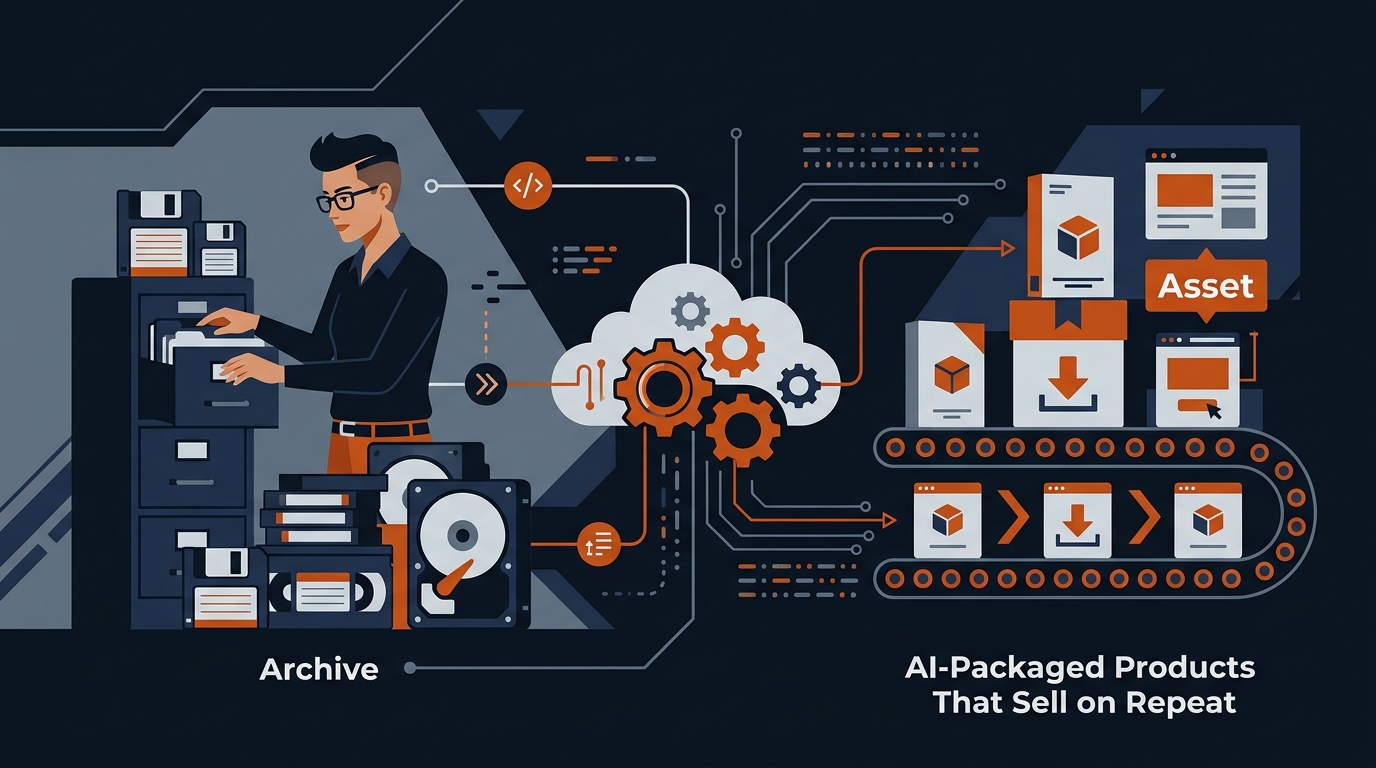
    I’ve got a filing cabinet in my office that’s been sitting there since 2008. Inside are maybe two hundred client projects—websites I built, marketing strategies I developed, case studies, email campaigns, designs, frameworks I sketched out on napkins. For years I treated it like a time capsule. Then one Tuesday morning, I realized I was sitting on a goldmine I’d already been paid for once. The only problem was figuring out how to turn dusty old work into something people would actually buy again. Turns out, AI is the bridge I was looking for.

    Why This Matters for People Like Us

    GenX built careers on hustle and specialization. We learned a skill, got really good at it, and traded our time for money. It worked for thirty years. But now we’re at an age where time is the one thing we can’t manufacture more of, and frankly, I was tired of hourly billing. The idea of taking work I’d already done, dusting it off, and selling it repeatedly felt less like cheating and more like common sense.

    The trap I fell into—and I bet you have too—is thinking old work is outdated. But here’s what I discovered: your frameworks didn’t age. Your process didn’t become irrelevant. Only the surface-level details changed. An email template from 2014 that brought in a 38% open rate? Still valid. A sales page structure that converted? Still works. A questionnaire you used to diagnose client problems? Gold.

    What I Actually Found

    I started small. I pulled out three of my best client projects from different categories—one website rebuild, one marketing strategy document, one lead magnet sequence—and asked myself: what’s the repeatable part here? Not the client-specific stuff, but the architecture underneath.

    Then I used Claude and ChatGPT to help me see what I’d missed. I’d paste in a project and ask it to extract the framework, the decision tree, the logic flow. In about forty minutes, I had the skeleton of something that could work for dozens of different clients. The AI didn’t write the product for me; it helped me see the pattern I’d created without realizing it.

    I took that one website rebuild template and genericized it. Removed the client name, changed the industry-specific examples to be broader, and asked AI to show me what other industries could use this exact same approach. Turns out, the system I’d built for a B2B SaaS company worked almost identically for a local services business and a course creator. Same bones, different skin.

    The revenue part surprised me. I packaged the first one as a fifty-dollar template on Gumroad. Not fancy, not elaborate—just the actual framework I’d used, plus a plain-English guide about how to customize it. In month one, it made about eight hundred dollars while I slept. That’s not retirement money, but it’s also passive enough that I could ignore it if I wanted to.

    How to Get Started Today

    Go find three client projects you’re actually proud of. Not the biggest ones necessarily—the ones you remember solving a real problem. Print them out if that helps you think, or open them in a folder on your desktop.

    For each one, ask yourself: what was the actual problem I solved? Not for that specific client, but the category of problem. A website that wasn’t converting? A team that didn’t know how to prioritize? A message that wasn’t landing with the right audience?

    Then take that core problem and feed it to an AI with your old work. Say something like: “Here’s a project I did for a client. What’s the underlying system or framework I used? What parts are client-specific and what parts are universal?” Let it pull that apart for you. It’ll probably see things you missed.

    Once you’ve got the framework, AI can help you write instructions for how someone else would use it. Not fancy copy, just clear. Paste it into a Google Doc, turn it into a PDF, and put it somewhere people can buy it. I’ve got links to the actual platforms I use over at rewiredgenx.com/links/ if you want to skip the research.

    This isn’t going to replace your day job overnight. But it’s real passive income built on work you’ve already done, and honestly, that feels like winning to me. We didn’t get this far by waiting around for permission. Same rule applies here.

    What I Recommend

    If you want a head start, check out the AI toolkit I actually use — it’s what I point people to first.


    Take a Look

    Get My Field Guide

    I put everything I know into a 30-page guide — the AI tools worth paying for, the prompts that actually work, and the workflows I run while I sleep. $14.

    Get the GenX AI Field Guide

  • The 5 AI Tools Worth Your Time (After Testing 50+ Others)

    📼

    🎧  Jim reads this post

    Two years ago, I convinced myself I needed to try everything. Every AI tool that launched, every beta, every new feature. I’ve got spreadsheets full of sign-ups, browser tabs permanently open, and a credit card that’s seen better days. Last month I counted: I’d paid for 47 different AI services. Forty-seven. Most of them I hadn’t opened in six months. So I did what any reasonable person who’s afraid of wasting money does—I deleted almost everything and kept five. And honestly? That’s when things actually started working.

    Why This Keeps Coming Up

    GenX guys like us grew up in the “more is better” economy. We got our first computers running Windows 95 and learned that you upgrade, you add features, you keep options open. That logic worked fine when you were buying VCRs. It’s killed my productivity with AI tools. I had writing assistants, research tools, design platforms, coding helpers, marketing automation, image generators, voice tools—the list went on. Every single one promised to save me time. Together, they just fragmented my attention into useless pieces.

    The real problem wasn’t the tools themselves. It was the mental overhead of switching between five different logins, five different interfaces, five different ways of prompting the same basic question. I was spending time deciding which tool to use instead of actually using a tool. That’s the trap nobody warns you about when you’re evaluating AI.

    What I Actually Found Out

    Here’s the first one I kept: an AI writing assistant. I use it to turn professional experience—stuff I already know how to do—into paid work. I was already a decent writer before AI. I could already write consulting documents and freelance deliverables. The writing assistant doesn’t replace that skill. It speeds it up. I’m billing at twice the speed I used to, which means more money in less time. That’s the entire value proposition, and it works.

    The second tool is an AI research and summarizer. I tested maybe twelve different research tools. Most of them buried me in information. This one gets me to the answer fast. I used to spend ninety minutes down internet rabbit holes looking for specific data. Now I spend fifteen minutes. That’s not hype—that’s actually what happened when I timed it.

    Third is a content repurposing tool. One piece becomes five pieces. A blog post becomes social media posts, an email, a YouTube description, a newsletter section. I’m not hiring a content manager. I’m just making sure the work I already did gets used more than once.

    Fourth and fifth are an image generator and a coding assistant. The image generator handles visual concepts I used to either pay someone else to create or go without. The coding assistant catches syntax errors and speeds up my development work by probably thirty percent. Neither one makes me a better coder or designer, but they both save me concrete time on concrete projects.

    The pattern I noticed: I kept the tools that made me faster at something I was already doing. I deleted the ones that promised to replace a skill I didn’t have. That’s the distinction nobody makes when they’re selling you AI tools. Most of them are marketed as replacement technology. They’re actually productivity tools.

    What You Can Do With This Today

    Start with what you actually do for money. What skill generates income for you right now? Now ask whether AI can make you do that thing faster without replacing your ability to do it. If yes, you’ve got a candidate tool. If it’s promising to replace a skill set—to be your accountant or your designer or your programmer when you’re not one—delete the trial. You’ll just end up frustrated when the output isn’t what you wanted.

    Pick one tool per skill category and stop looking. This is the hard part because new tools launch every week and they’re all improving. I had to make myself stop. Stick with what works for ninety days. Write it down. Track whether it actually saved you time or made you money. If it did, renew the subscription. If it didn’t, cancel it and stop feeling guilty about wasting the sign-up.

    I’m not against AI. I use it every day. I just got tired of the mess of trying to use everything at once. Sometimes the best decision is to commit to less.

    Watch the Full Video

    I covered all of this in a short video too — sometimes it’s easier to watch than read.

    Watch on TikTok →

    What I Recommend

    If you want a head start, check out the AI toolkit I actually use — it’s what I point people to first.


    Take a Look

    Get My Field Guide

    I put everything I know into a 30-page guide — the AI tools worth paying for, the prompts that actually work, and the workflows I run while I sleep. $14.

    Get the GenX AI Field Guide